
Our department had the challenge to sell our parent company’s technology. Although our technology was “interesting”, it was a concept shown in a powerpoint. Users didn’t know how they could use it. We couldn’t sell it.
Determined to succeed, we built our own application to showcase our capabilities. Many versions were created in defining our product.
Our VP identified a need in contract analysis and had a lead into the “Oil and Gas” market. Our first prototype was made from a purchased template site that our team member modified and showed extracted entities on the left, the contract in the center and a validation panel on the right.
We were able to convey value and we gained a partner!
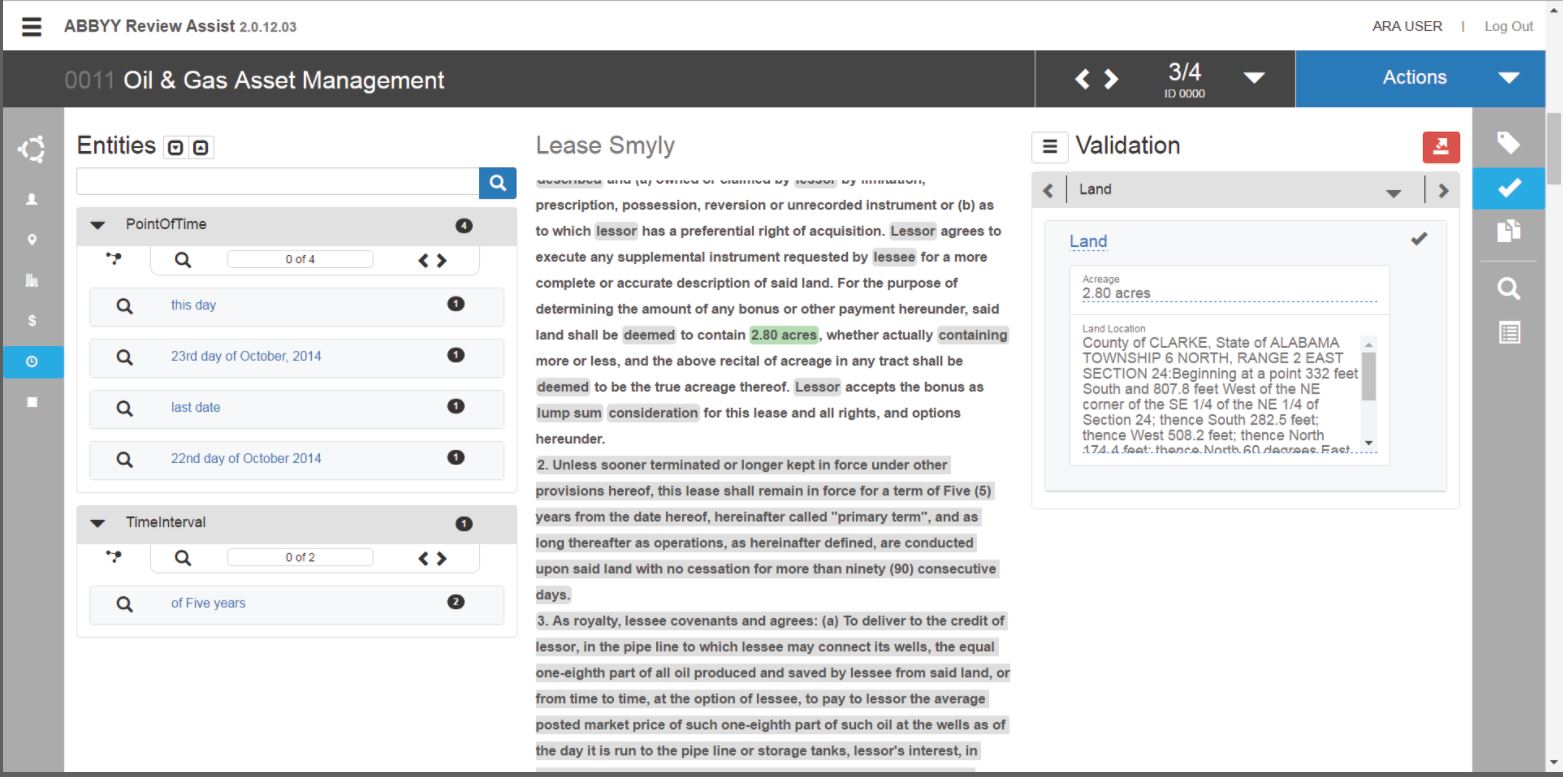
My part in the above rough prototype was to help convey:
- what entity sets were available
- how the entities on the left corresponded to the contract as well as other related entities
Due to some technological challenges… we lost our partner. 🙁
Armed with our VPs new strategy to ‘Show the Workflow’ and trying to find possible work-arounds on the side, we set out again.
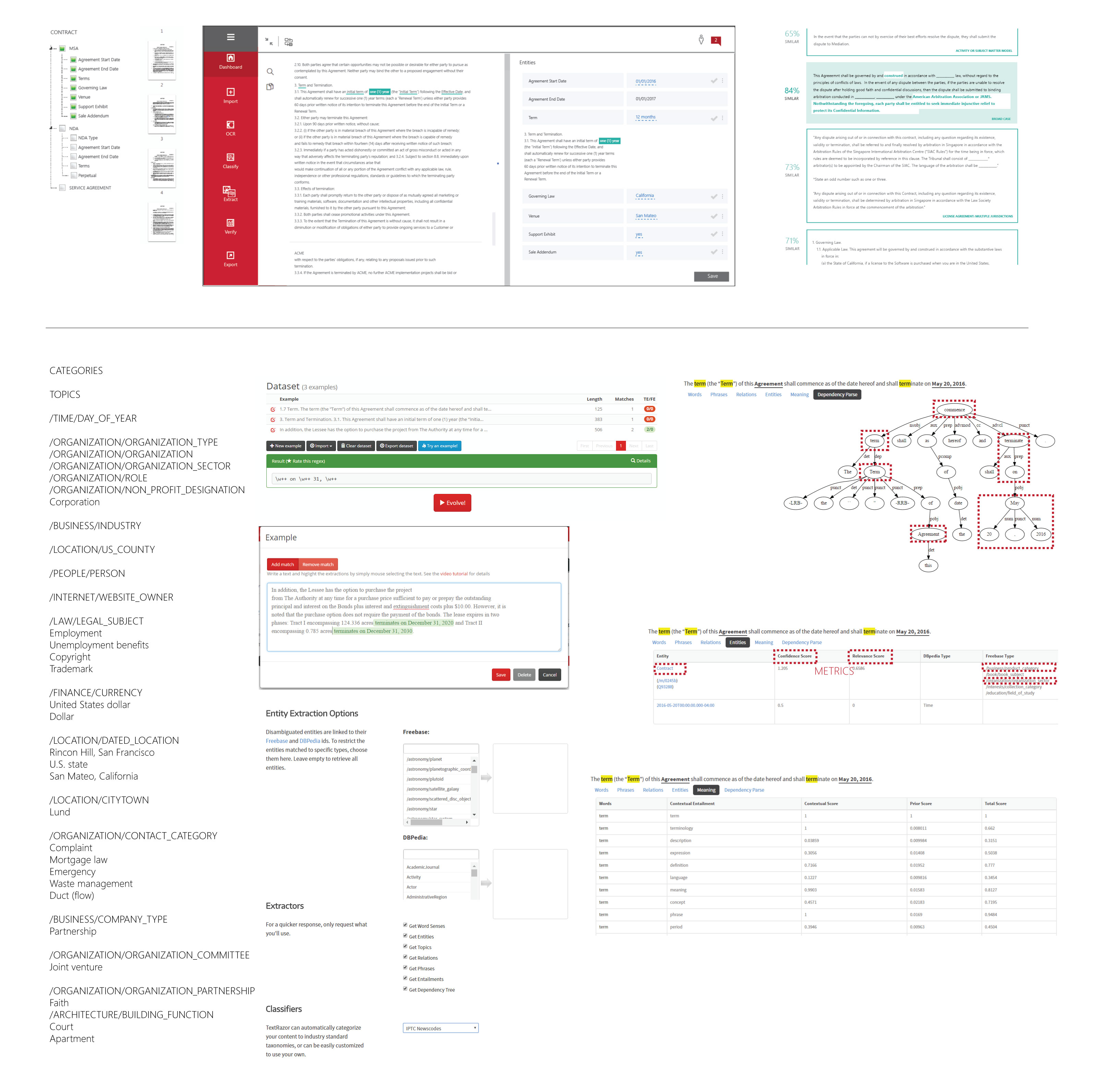
The below image consists of screenshots of my brainstorm notes for:
- showing user the ontologies to find the finer details of what they were looking for
- using the thumbnails of the whole contract in order to ‘ground’ the user where different entities existed in a long contract
- how one can use metrics to show potential risk in a contract
- how we might use open source tools to train models determine metrics
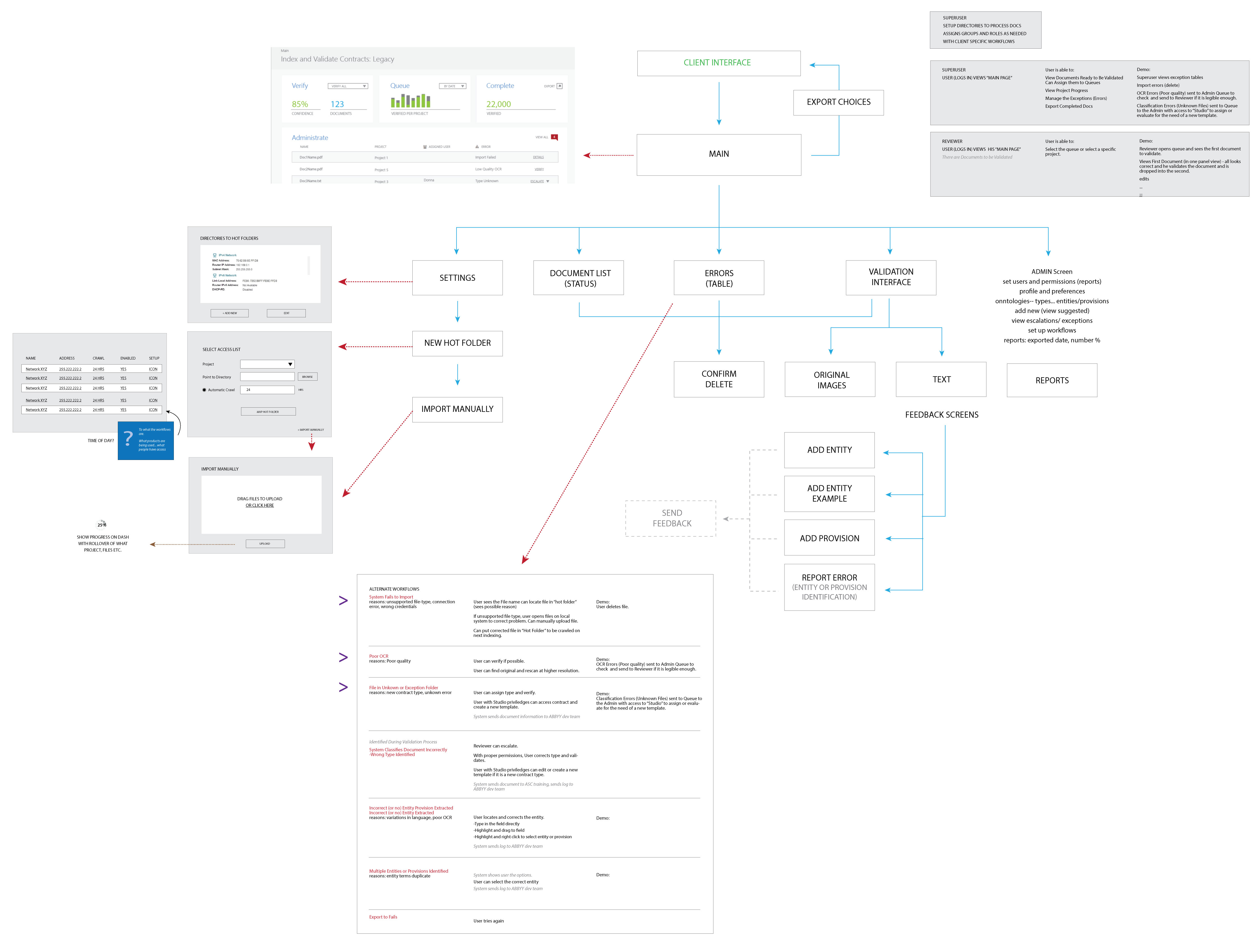
As our sales began conveying our partner’s usecase, I brainstormed what we might need for our demos and proof of concepts.
My notes in the below sketches were for me to:
- Chart the pages needed for the various usecases
- Introduce the feedback system to use in machine learning
- Rough draft a script following the usecases
- Account for edge cases and alternate workflows for technological shortcomings, errors or poor document quality
In parallel, I created medium fidelity pdf mockups of the screens. There were the obvious screens such as the Reviewer’s Validation UI–
Click to see .pdf of example screens (opens in new window)
But also many versions of the following to deal with. The following are early concept mockups for different aspects of the application:
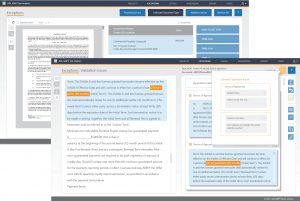
Click to see .pdf of exception screens (opens in new window)
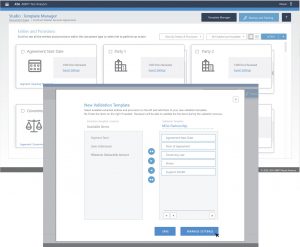
Click to see .pdf of managing doc types and entities screens (opens in new window)
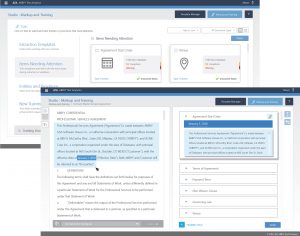
Click to see .pdf of marking up documents for training entities and segments (opens in new window)
At the end of the day-when you see the end product, it’s easy to forget how much work had gone into getting there. The application has changed in many ways since the early concepts and it required iteration after iteration before it has all been vetted. But that is looking to the end.
A day in my life consists mostly in the journey… and much of that is in collaboration.
Next >> Collaboration With Other Teams